Log in with your username to reliably save your game progress and achievements
About game
Supermarket Simulator: Become a Retail Empire Tycoon!
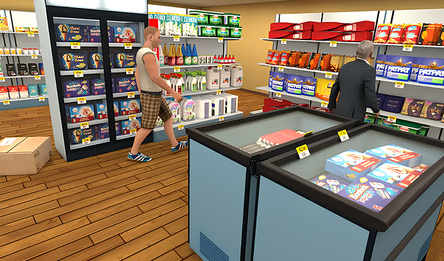
Begin your journey with a humble shop and evolve it into the city's favorite supermarket. Keep the shelves stocked with everything from chips and fruits to meats, juices, and milk, ensuring customers always find what they need.
Set product prices and attend to customers swiftly for increased profits. Remember, some items offer higher profit margins than others.
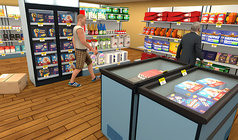
Immerse yourself in the world of real business management with this grocery store simulation game. With over 30 product types, three distinct shelf categories (standard rack, produce stand, refrigerator), and two payment options – cash or card – Supermarket Simulator provides an authentic shopping experience.
Available for both mobile devices and PCs, Supermarket Simulator ensures a smooth gaming experience across all platforms. The game boasts intuitive controls tailored for each device and features a charming cartoon-style graphics and efficient optimization for high frame rates, even on entry-level phones.
How to play
Place your orders through the laptop positioned at the rear of the cashier area.
Upon delivery, products will arrive in boxes and be placed near the supermarket entrance.
Your task is to open these boxes and arrange the items on designated shelves. Different products require specific shelf types: refrigerated shelves for milk, and produce racks for apples.
As customers shop, they'll approach the register for purchases. Your responsibility is to scan their chosen items and process payments. When a customer arrives, simply approach the till and take a seat.
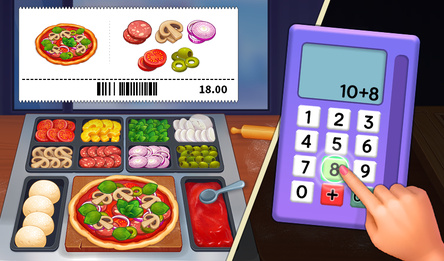
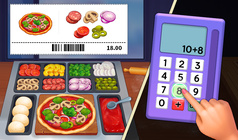
Two payment methods are available: card and cash. For card payments, input the total amount into the terminal; for cash payments, provide the correct change.
For mobile controls, use the left joystick for movement and the button with the finger icon on the right for interaction. Picking up a box will activate small buttons for opening, dropping, or placing the box.
On PC, utilize the WASD keys for movement, with other actions appearing as prompts in the upper-right hint box.