


Dune
59Playhop rating
About game
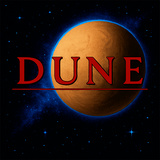
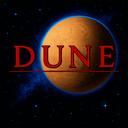
Dune is an RTS game in pixel art style that became a cornerstone for the entire genre. You will head one of the three Great Houses in a battle for dominance on the desert planet Arrakis.
Main features:
● Traditional RTS mechanics: resource management, constructing bases, raising armies, and advancing through the tech tree — all hallmarks of the genre are here.
● Choice of House: Command the Atreides, Harkonnens, or Ordos — each with its own strategies, units, and structures.
● Spice management: Gather Spice, the most precious resource in the universe, to finance your military and grow your base.
● Strategic advantage: Create armies with infantry, armored vehicles, and aircraft to attack enemy bases and defend against invasions.
● Conquest of Arrakis: Experience a unique campaign for each House, with missions on the planet's map where your choices shape the course of the war.
How to play
Saving progress: The game stores your progress in the browser cache on your device. To prevent data loss, avoid using incognito mode. Note that the Russian and English versions save progress separately. PC controls: Camera settings: 1) Move the cursor to the screen edge. 2) Use the arrow keys: ↑↓←→. 3) Click on the minimap. 4) Right-click anywhere on the game screen. Units: ● Move unit: Press M or select "Move" from the menu. ● Attack target: Press A or choose "Attack" from the menu. ● Switch to next unit: Tab key. ● Cancel command: Esc key. Mobile controls: Camera settings: 1) Drag the cursor to the edge of the screen. 2) Utilize the virtual joystick. 3) Tap on the minimap. Units: ● Move unit: Virtual key M or "Move" in the menu. ● Attack target: Virtual key A or "Attack" in the menu. ● Switch to next unit: Virtual key ⟾. ● Cancel command: Virtual key Esc.Game info
Age rating
16+
Platforms
Authorization support
Yes
Localization
Russian, English
Screen orientation
Release date
Cloud saves
No
Categories





Players say
The game evokes nostalgia for the old days
Classic strategy game about the war on the planet Dune
Management of resources and troops, capture of territory
Suitable for fans of the original games in the series
Conveys the spirit of old games
Standard keyboard shortcuts for control