




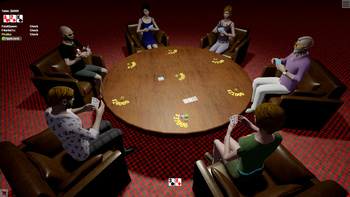
About game
Experience a whole new level of fun!
Discover beloved classics in a fresh, 3D format!
Enjoy a wide variety of traditional board and card games—chess, backgammon, dominoes, poker, blackjack, 101 (uno), and more—all in one place.
Connect with friends and meet new players! Gamesberg offers more than 25 games with no bots, just real people. Compete, learn, and showcase your talents in tournaments!
Customize your gaming experience with flexible settings for both the game and the interface, ensuring maximum comfort.
Design a unique character and develop your own style!
How to play
Decide on a game, set up a new table, or become part of an ongoing one! While you're waiting for your turn, you can adjust the camera view: move, rotate, or zoom. Here's how: - Move: On a PC, press and hold the right mouse button and move the mouse. On mobile, use two fingers to slide across the screen. - Rotate: On a PC, click and hold the left mouse button to rotate. On mobile, touch the screen with one finger and move it. - Zoom: On a PC, scroll the mouse wheel to zoom in or out. On mobile, place two fingers on the screen and spread them apart or bring them together to adjust the zoom. During your turn, feel free to select a card or a figure and press the corresponding button. Special actions are indicated by icons on the cards and figures. Additional information is available in the menu located in the upper right corner — look for the (i) icon for General Info.Game info
Age rating
18+
Platforms
Authorization support
Yes
Localization
Russian, English
Screen orientation
Release date
Cloud saves
No
Categories