









About game
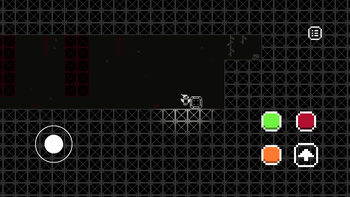
This isn't an ordinary platformer — it's a game that puts your perception to the test. In ColorMania, you have the power to control the color spectrum and transform the world around you. Alter the background to make obstacles disappear, reveal hidden passages, and interact with objects of the same color.
How to play
MASTERING THE WORLD OF COLORS IN ColorMania: The essence of the game lies in its distinctive mechanism: by altering the background color, you can make objects of the same color vanish, revealing new routes and solving puzzles. Here’s how to manage the palette and character. Selecting the world’s color: With the mouse: Press and hold the left or right mouse button, then move the cursor — a color wheel will appear. Position the cursor over the desired hue and release the button to apply it. Using interface buttons: If you prefer not to hold down the mouse button, simply click the colored buttons in the game interface. The currently active color is always highlighted. CHARACTER ACTIONS: Movement: Use the A (left) and D (right) keys. Jump: Press the Space Bar. Interaction: The E key is used to activate or deactivate levers. Pause: To halt the game and open the menu, press the P key.Game info
Age rating
6+
Platforms
Authorization support
Yes
Localization
Russian, English
Screen orientation
Release date
Cloud saves
No
Categories